Skip to content
MathWorks

Self-Paced Online Courses

  • Self-Paced Content
  • MathWorks
  • MATLAB Help Center
  • Community
  • Learning
  • Get MATLAB MATLAB
  • Sign In
    • My Account
    • My Community Profile
    • Link License

    • Sign Out
  • Contact MathWorks Support
  • Visit mathworks.com
  • Online Courses
MathWorks MathWorks

Select a Web Site

Choose a web site to get translated content where available and see local events and offers. Based on your location, we recommend that you select: .

  • (English)
  • (Deutsch)
  • (Français)
  • (简体中文)
  • (English)

You can also select a web site from the following list

How to Get Best Site Performance

Select the China site (in Chinese or English) for best site performance. Other MathWorks country sites are not optimized for visits from your location.

Americas

  • América Latina (Español)
  • Canada (English)
  • United States (English)

Europe

  • Belgium (English)
  • Denmark (English)
  • Deutschland (Deutsch)
  • España (Español)
  • Finland (English)
  • France (Français)
  • Ireland (English)
  • Italia (Italiano)
  • Luxembourg (English)
  • Netherlands (English)
  • Norway (English)
  • Österreich (Deutsch)
  • Portugal (English)
  • Sweden (English)
  • Switzerland
    • Deutsch
    • English
    • Français
  • United Kingdom (English)

Asia Pacific

  • Australia (English)
  • India (English)
  • New Zealand (English)
  • 中国
    • 简体中文
    • English
  • 日本 (日本語)
  • 한국 (한국어)

Contact your local office

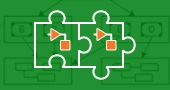
image for course Model System Components

Model System Components

Build larger projects for complex systems with multiple components. Learn to create and reference components as subsystems, separate models, or reusable libraries.

Course modules

Course Overview

Overview the course.

Lessons:
  • Overview
  • Course Example: 3D Printer

Subsystem Reference

Create larger projects by referencing subsystems.

Lessons:
  • Create Subsystem Reference
  • Use Referenced Subsystems

Model Reference

Create larger projects by referencing other models.

Lessons:
  • Model Referencing Workflow
  • Creating Model References
  • Managing Model Referencing
  • Accelerating Referenced Models

Simulink Libraries

Use Simulink libraries and links to reuse model components.

Lessons:
  • Creating a New Library
  • Using Your Custom Block
  • Managing Links
  • Library Link Manager
  • Adding Libraries to the Simulink Library Browser

Conclusion

Learn about next steps and give feedback on the course.

Lessons:
  • Additional Resources
  • Survey

Format:Self-paced

Language:English

Language

  • Hands-on exercises with automated feedback
  • Access to MATLAB through your web browser
  • Shareable progress report and course certificate

Simulink Onramp

Get started quickly with the basics of Simulink.

The Simulink Environment

Learn new modeling constructs, visualization techniques, and how to exchange data with Simulink.

Create Model Hierarchy with Subsystems

Organize complex models and establish a hierarchical block diagram by grouping blocks into subsystems.

Componentization Techniques for Simulink Models

Organize, reuse, and protect model components using component-based modeling principles.

Simulink Onramp

Get started quickly with the basics of Simulink.

  • Trust Center
  • Trademarks
  • Privacy Policy
  • Preventing Piracy
  • Application Status
  • Contact Us

© 1994-2025 The MathWorks, Inc.